
Identification and mechanical reference#
BeagleConnect Torque is a 25.4 × 38.1 mm controller module built around the XAM13E23019GTPZ 100-pin MCU. U2 is the TCAN844DRBRQ1 CAN transceiver, and U3 switches bus termination. U4, U5 and U6 handle power selection, load switching and digital regulation.
Connector orientation#
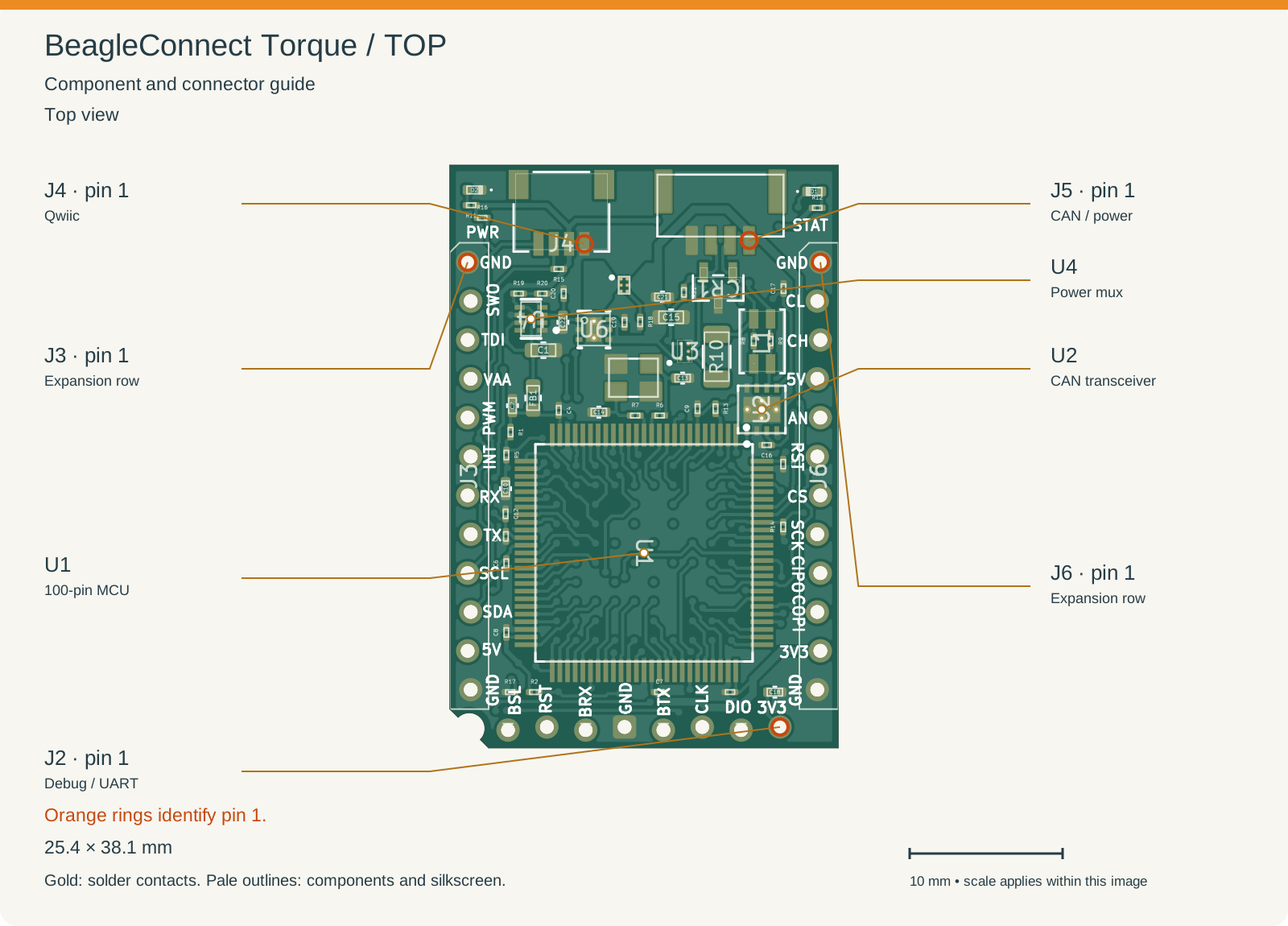
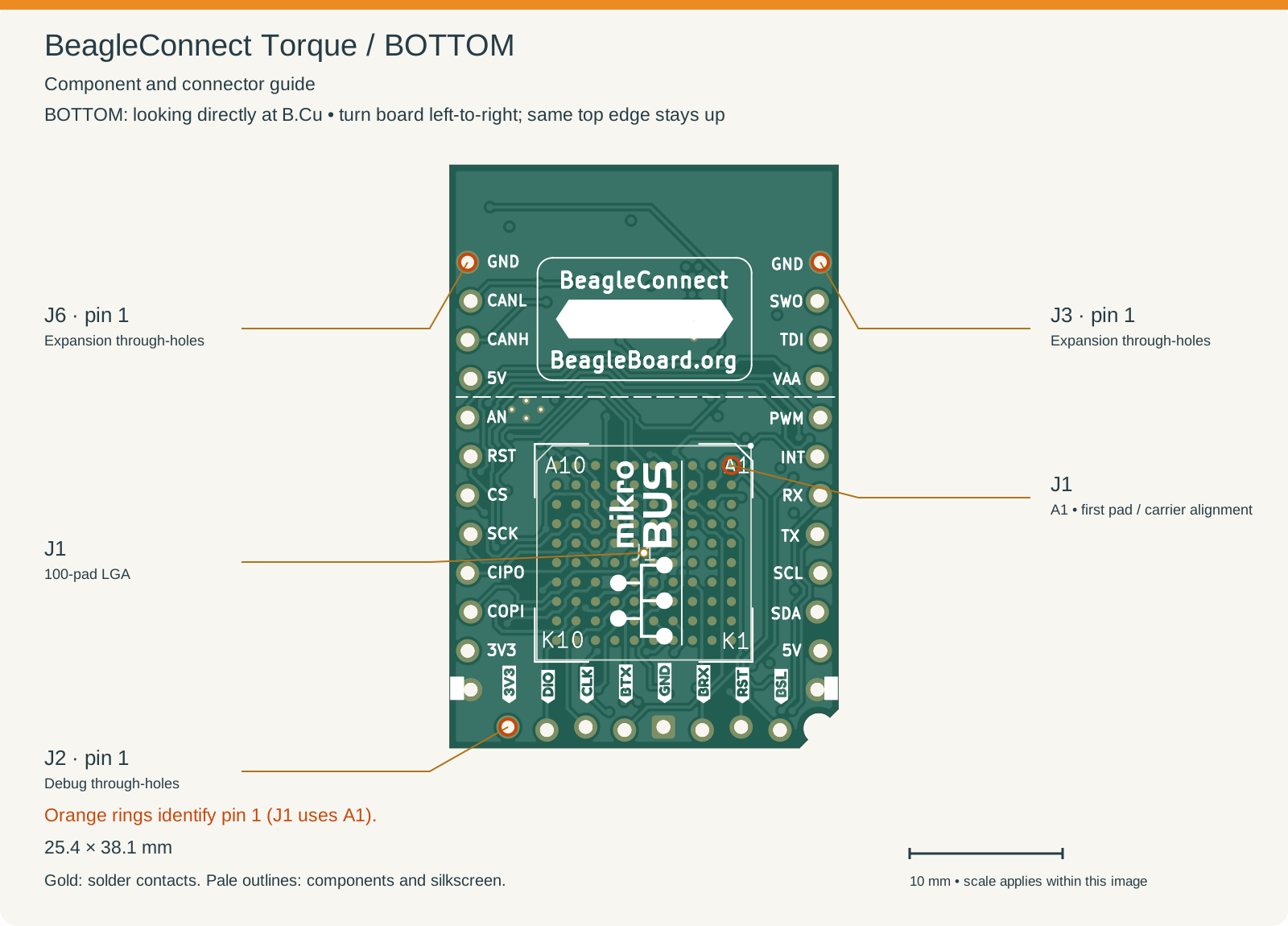
Use these assembly views to find connectors and components. Reference labels match the KiCad board files. Select an image for a closer look.
Orange rings and connector leader lines identify pin 1. J1 uses an alphanumeric pad grid, so its first pad is A1, marked in the bottom view. J4 and J5 signal contacts are on the top side; their pin 1 markers appear in the top view. Markers refer to board pads, not the mating face of a cable plug.
Top looks down at F.Cu. Bottom looks directly at B.Cu after turning the board left-to-right, keeping the same top edge up. Left and right therefore reverse; the bottom drawing is not a view through the board. Use the connector pad table for electrical assignments.
Connector |
Purpose |
First pad |
|---|---|---|
J1 |
Underside 100-pad LGA interface for a carrier |
A1: |
J2 |
Eight-pin debug, UART, reset and boot row |
1: |
J3 |
Left expansion row in top view; 12 pins |
1: |
J4 |
Qwiic I²C connection |
1: |
J5 |
CAN bus and power |
1: |
J6 |
Right expansion row in top view; 12 pins |
1: |
The nominal PCB outline has a southwest relief. Use the KiCad board outline when checking mating geometry and assembly clearance.
Mechanical integration#
J1 uses 1.27 mm pitch with 0.6 mm pads. The two expansion-row origins are 22.86 mm apart. Successive row pad centers advance by 2.54 mm, with alternating lateral stagger. Match the complete 12-pin row geometry when designing a mating connector.
Allow space for connectors, cables and assembled components as well as the bare PCB outline. For a soldered carrier, the assembly notes explain the module stencil and mating-array paste arrangement. Keep the debug row accessible if you expect to program or service the module after installation.